Equipment hour tracking with hour meter photos
Use hour meter photos to compare machine readings with billed hours. See a pilot design, contract limits, and where a person still needs to review.

Equipment hour tracking can start with photos of a machine’s hour meter. Compare the start and end readings with the hours on the bill. The meter shows running time, not productive work. Steve is scoping this as an early-access pilot. Pairing readings and checking invoices still need validation.
Imagine an excavator billed for ten hours when its meter rose by six. The operator filled in the timesheet. A foreman signed it from the other side of the site. Head office gets a signed record but cannot explain the gap. The reviewer must still know what the meter counts and what the contract allows.
The pilot is not running yet. Can better evidence change the amount paid? The answer must account for valid charges and review costs.
Why equipment timesheets need another record
Equipment timesheet verification needs a record beyond memory. Paper timesheets filled in at the week’s end may lack that record. A signature may mean someone received the sheet. It may not mean they saw the work. Once the bill arrives, a controller has little separate evidence for each machine and shift.
Idle time, standby, and travel make the comparison harder. Some contracts allow separate charges for them. Others treat running hours and time on site as different things. Write down those rules before treating a mismatch as overbilling. A machine waiting for access may still have a valid charge.
Telematics, or data sent from machines, can supply another record where available. A subcontractor’s machines may have no accessible feed, even if the contractor’s own fleet does. The proposed photo check gives a controller a record to compare. It does not need a connection to telematics.
Capture start and end hour meter readings
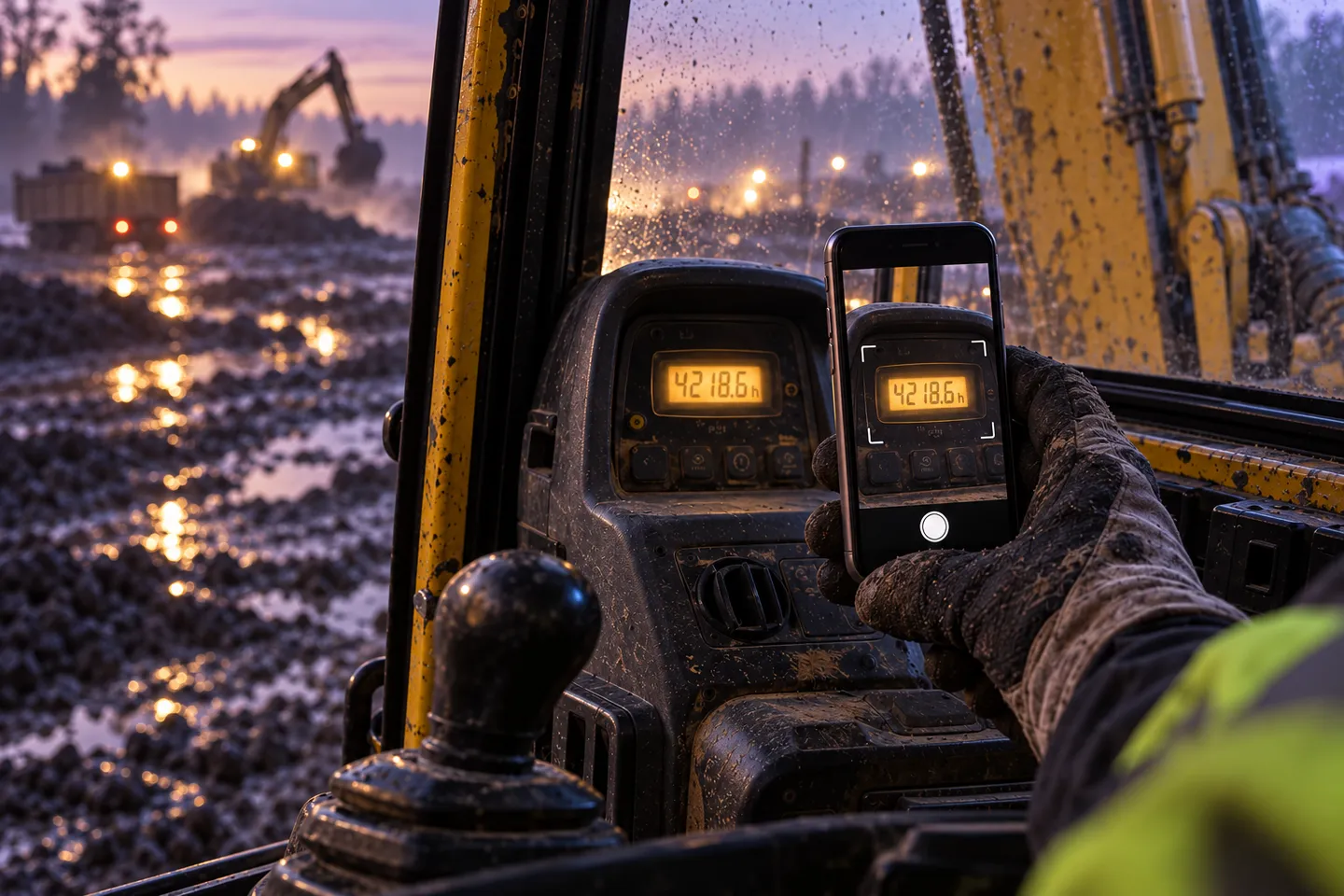
Ask the operator to photograph the hour meter at the shift’s start and end. The machine must be safely stationary. Each photo needs readable meter digits and a machine ID or plate. It also needs enough of the surrounding view to link it to the machine and site record. Agree on a safe view that shows both meter and ID. Test it on the actual machines first.
Assign a machine ID, site, and shift to the submission. These declared fields help organize evidence. They do not prove on their own where the camera was.
Steve’s capture-quality checks can refuse a blurry photo or one with glare. They can request a retake while the operator is still there. Its mobile app supports offline capture for sites without signal. Evidence still needs to sync before the office can review it. The pilot should check that both photos arrive before invoice approval.
Steve’s live document extraction reads values from documents. It can read meter values and IDs, with a confidence level for each field. The pilot must test hour meter photo readings on the actual machines. A doubtful digit needs review. A confident reading still needs the correct machine and shift attached.
Compare meter readings with billed equipment hours
The pilot design includes pairing start and end readings across two submissions. It also includes reconciling them: comparing the readings with billed hours. This needs invoice or timesheet data as an input. Two photos alone do not show the hours the subcontractor charged.
This invented record shows a proposed comparison. The readings are total engine hours recorded so far. The difference is billed hours minus the meter increase. These are invented values, not customer data or a response the product ships today.
{
  "machine_id": "synthetic-excavator-07",
  "reading_start": 4216.5,
  "reading_end": 4223.5,
  "computed_hours": 7.0,
  "invoiced_hours": 10.0,
  "difference": 3.0,
  "flag": "billed_hours_above_meter_increase"
}
The meter increased by seven hours. The bill says ten. This is a reason to inspect the contract and supporting records. It does not mean you should deduct three hours automatically.
Agree a decision policy before collecting evidence:
- Within the agreed tolerance, or allowed difference: approve the hours comparison for the normal invoice process. This needs complete evidence and must account for permitted charges.
- Above tolerance: flag the difference with both photos and the billed line.
- Missing end-of-shift photo: request it. Do not invent an end reading.
- Reading lower than the previous day or start reading: review the machine ID and extracted value. Check for a meter replacement or reset too.
- Low-confidence digits or conflicting IDs: review before calculating hours.
Steve can send exceptions to its review queue with a record of decisions. The pilot must confirm how paired records and invoice lines reach that review. Invoice verification explains why reading the document and deciding whether to pay are separate jobs.
Estimate the cost of disputed equipment hours
To track subcontractor equipment hours, first decide whether the problem deserves a pilot:
Machines × working days × average overbilled hours per machine per day × hourly rate.
Example only: 40 machines × 200 working days × 0.5 overbilled hours × €80 per hour = €320,000 across the modeled period. The half-hour is an assumption to test, not an observed result. All four inputs are invented.
Use your own rates and billable days. For mixed equipment, calculate each rate group on its own. Exclude valid standby, travel, and minimum-hire charges from the assumed overbilled hours.
This figure shows money that may be at risk, not promised savings. The pilot must find which differences remain after review and whether bills are corrected. It must also measure capture and review costs. A large gap on a spreadsheet has little value if the contract allows the charge.
What a photo does not prove
An hour meter counts engine hours. It does not prove the excavator moved earth for all that time. Idling with the engine running can increase the reading. Call the result a meter increase, not verified productive work.
A photo does not prove place or time either. Metadata means information attached to a photo. It and visible surroundings can help a review. Both can be missing, changed, or unclear. Steve’s fraud detection can flag reused photos. It cannot prove the location from an image. A matching photo is a reason for review. Our guide to what each evidence photo can show explains why evidence of one visible state cannot prove a broader claim. The same limit applies to running time and productive work.
Delivery notes are a different problem. A photo of a signed note can record what the document says. It does not prove the weight delivered or where the load was dumped. That needs its own evidence design. An extra field in the equipment-hours calculation is not enough.
Keep repeated evidence separate from repeated charges
An operator might resend a photo after a failed upload. A subcontractor might bill the same shift twice. These are different events. The proposed comparison needs machine, site, shift, and subcontractor IDs. These let the reviewer tell a repeated upload from a repeated charge.
Check which invoice it is too. Two different machines can have the same hours. One invoice can validly cover several shifts. The rules in duplicate invoice claims apply here. Define the charge being checked before treating similar evidence as fraud.
Run a narrow pilot
Start with one site, a handful of subcontracted machines, and four to six weeks. Have a person compare readings and invoices side by side first. Record missing photos, unreadable readings, valid contract differences, and disputed charges as separate issues.
Assign flags to the site controller, rather than the foreman who signed the timesheet. Keep the photos, billed line, explanation, and final decision together. Confirm the pairing and reconciliation design against these examples before relying on automation.
The exit question is about money. Does the checked figure differ enough from the bill to matter after review and operating costs? Steve does not replace scheduling tools or read telematics in this design.
Bring one month of timesheets and invoices for a few machines to a discovery call. We can scope which readings to capture and which charges to compare. We can also define what a useful pilot would need to show.
The meter already knows. Put it next to the invoice.